To investigate auto enroll issues :
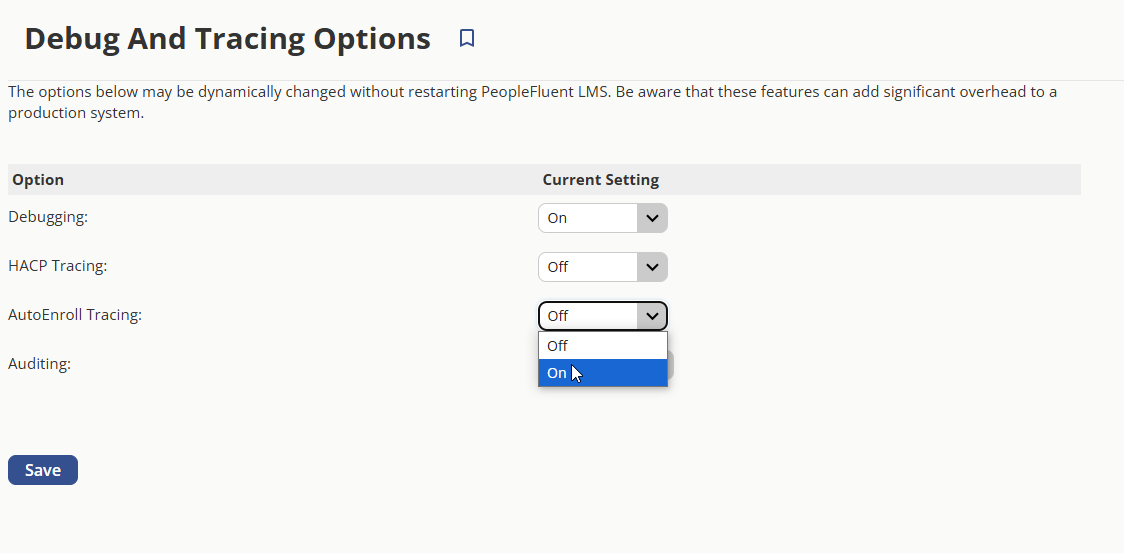
- Enable AutoEnroll Tracing (Manage> System> Debugging and Tracing option)
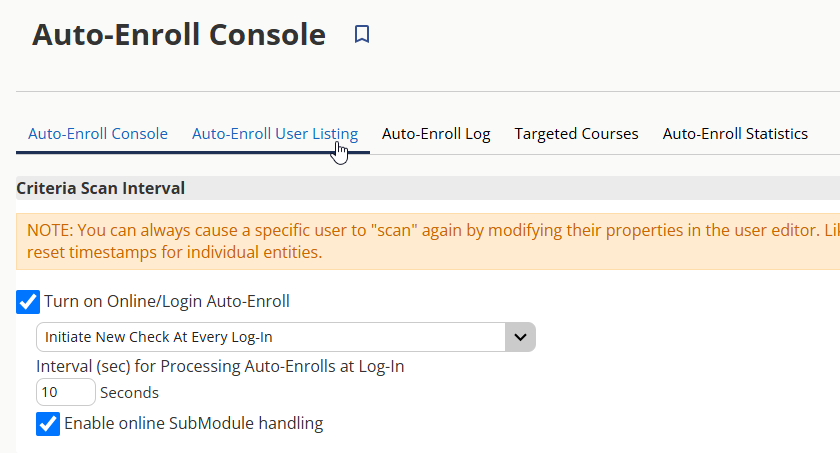
- Turn on Online/ Login Auto-Enroll: Initiate New Check at Every Log-In
- Switch to the user account to log in. Then wait a couple of minutes for the auto-enroll process to take effect (it can take up to 30 minutes if the system is busy, but usually it happens almost instantly).
Auto Enroll Logs
Manage> Learning> Auto-Enroll Log
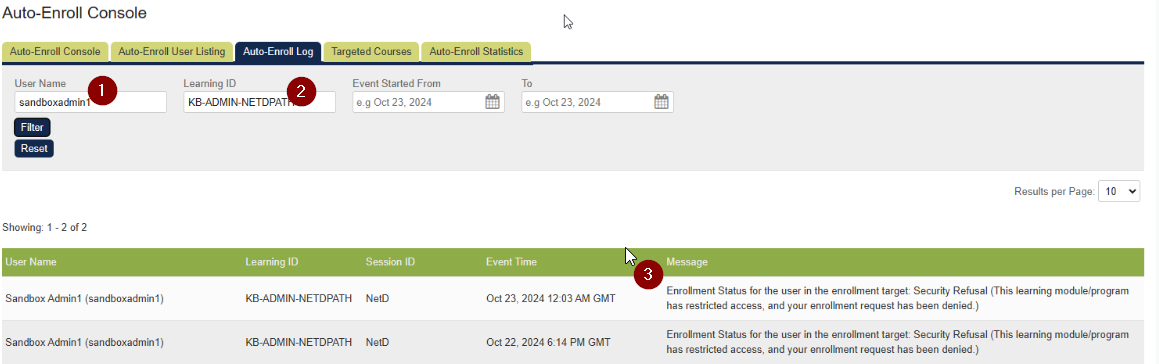
1. Enter User name
2. Enter LearningID
3. Shows successful or reason why user was not auto enrolled