Summary
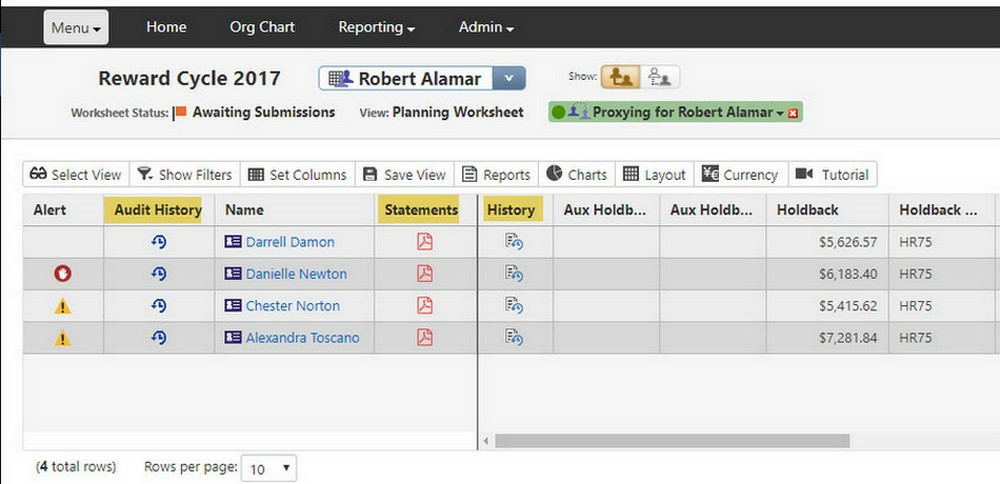
No column header is showing up for those Worksheet columns that have an image or icon in their cell(s)
Applicable Products Talent Management:
Salary Talent Management - Incentive
Applicable Releases
11.x and higher
Detailed Information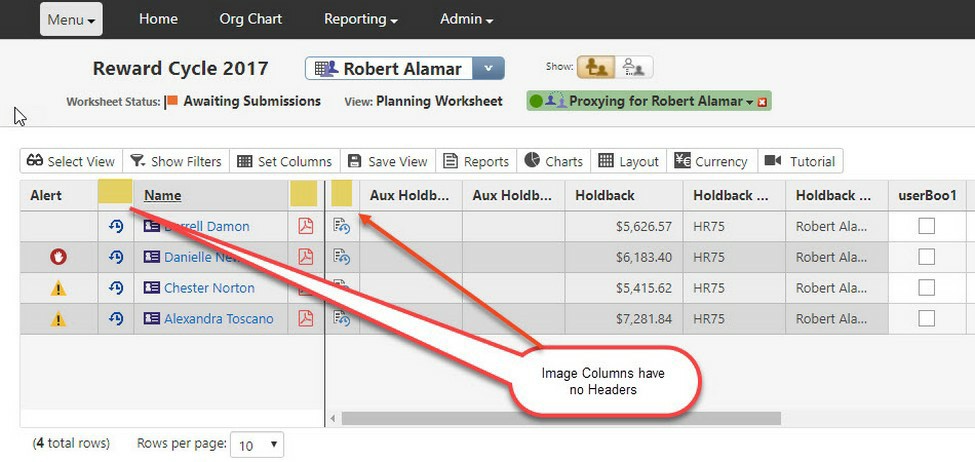
These Image Columns are not showing their column headers: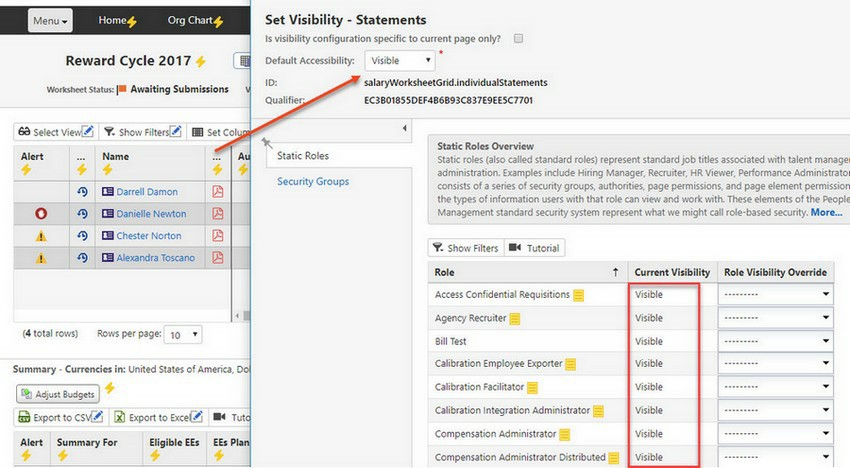
Even when their visibility properties indicate that they should be visible:
To fix this, you need to adjust a setting in the "Compensation Settings" section: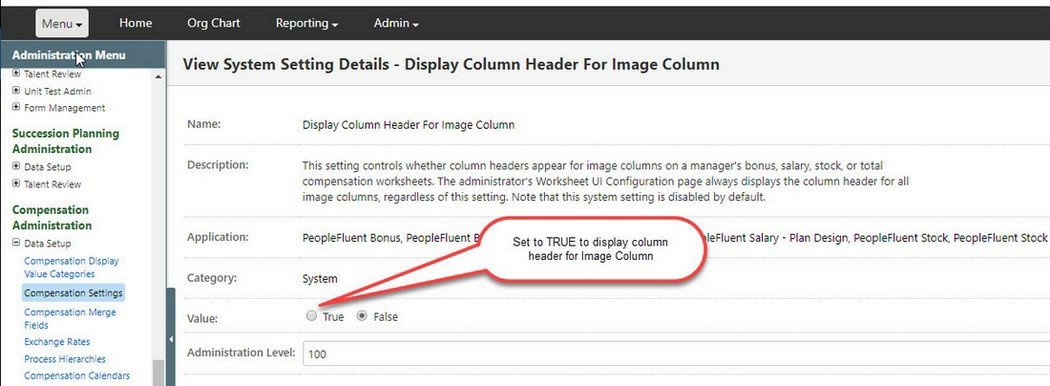
After adjusting that setting, the Image Columns will now look like this: